
Guide
The Graph Editor in Toji Motion: Easing Curves Explained
The graph editor decides how motion feels: fast starts, soft landings, hard snaps. This guide reads the curve and shapes the three easings every edit needs.
 By Felix Marlowe, Motion Graphics App Reviewer
CUE SHEET On this page
Reading the Curve
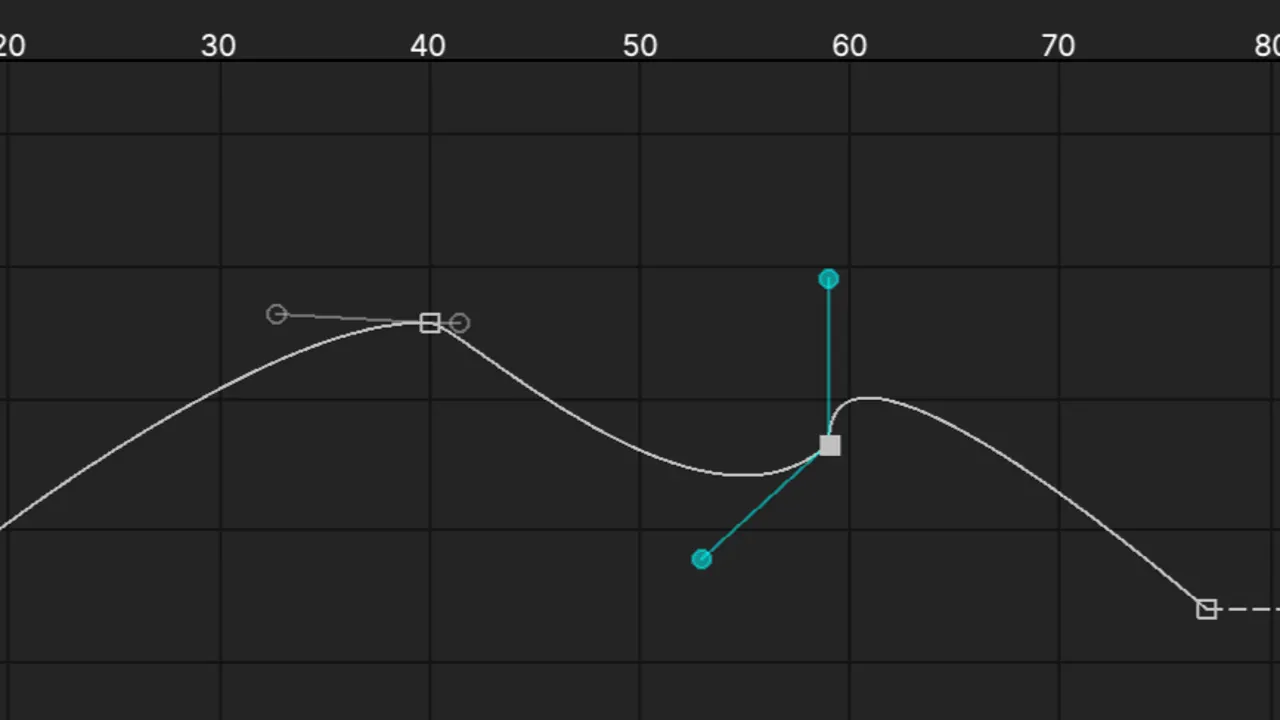
Between two keyframes, the graph editor draws one line: the value of a property over time. A straight line means constant speed. A line that climbs steeply then flattens means a fast start and a soft landing. Once that picture clicks, the whole tool makes sense, and the keyframe pairs from the keyframes guide gain their missing half: not just where motion goes, but how it travels. The Toji Motion animation app puts this curve view one tap from the timeline for a reason.
Edit one property at a time. Position, scale and opacity each carry their own curve, and shaping them together hides which change did the work.
The Three Curves That Cover Most Edits
The settle: fast rise, long flattening tail. Use it for titles arriving, cards sliding in, anything that should feel placed rather than dropped. The snap: slow, then a near-vertical climb at the end. Use it for hits and shakes, where energy must arrive all at once; the shake effect guide builds on exactly this shape. The drift: a gentle S that never hurries. Use it for slow zooms and background moves that should feel like breathing.
Save each as a habit, not a file. Your hands learn the three shapes in a week, and after that you will draw them by feel on any layer.
Curve Mistakes That Look Like Talent Problems
The commonest is the overshoot nobody ordered: a curve pulled past its target makes a layer bounce through its mark and back, which reads as sloppiness unless it is timed like a joke. The second is easing everything identically, so a whole edit moves with one mechanical rhythm. Real edits mix: hard snaps on hits, soft settles on titles, drifts underneath.
When a move feels wrong and you cannot say why, flatten its curve to a straight line and rebuild it one bend at a time. The bend that fixes the feeling is the lesson, and it is cheaper learned this way than by guessing.
A Practice Drill
Take one word of text and animate it three ways, settle, snap and drift, at the same duration. Export all three with the settings from the export settings guide and watch them in sequence. Ten minutes of this teaches more about motion feel than an hour of reading, and the drill works on any phone that runs the app from the download page.
Quick Answers
What does the graph editor do in Toji Motion?
It shapes easing: how a property accelerates and settles between two keyframes, which is what makes motion feel natural or mechanical.
Which curve should a beginner learn first?
The settle: fast start, soft landing. It improves titles, slides and zooms immediately.
Why does my layer bounce past its position?
Its curve overshoots the target value. Pull the curve back to end flat at the target unless the bounce is deliberate and timed.